Island Workflow
Stop letting leads and follow-up slip through the cracks.
When calls, forms, messages, quotes, bookings, documents, and follow-up all land at once, revenue leaks through the cracks. Island Workflow builds business-specific Claws that catch the request, organize the details, prepare the next step, and remind the right person what needs attention.

Missed call → captured request
Slow quote → follow-up reminder
Scattered details → clear handoff
Workflow, not brochureware
A website should hand work off cleanly.
Websites are now part of the workflow, not just brochures. A good site should capture leads clearly, answer common questions, and hand work off cleanly.
Every missed call, slow quote, or forgotten follow-up is a chance for the customer to move on. A Claw is not here to replace your team. It keeps the next step from depending on someone remembering at the perfect moment.
Behind the scenes
Works around the tools your team already uses.
After the business problem is clear, each Claw can be scoped around the booking tools, inboxes, phone systems, forms, spreadsheets, and industry platforms already running the business.
What this looks like
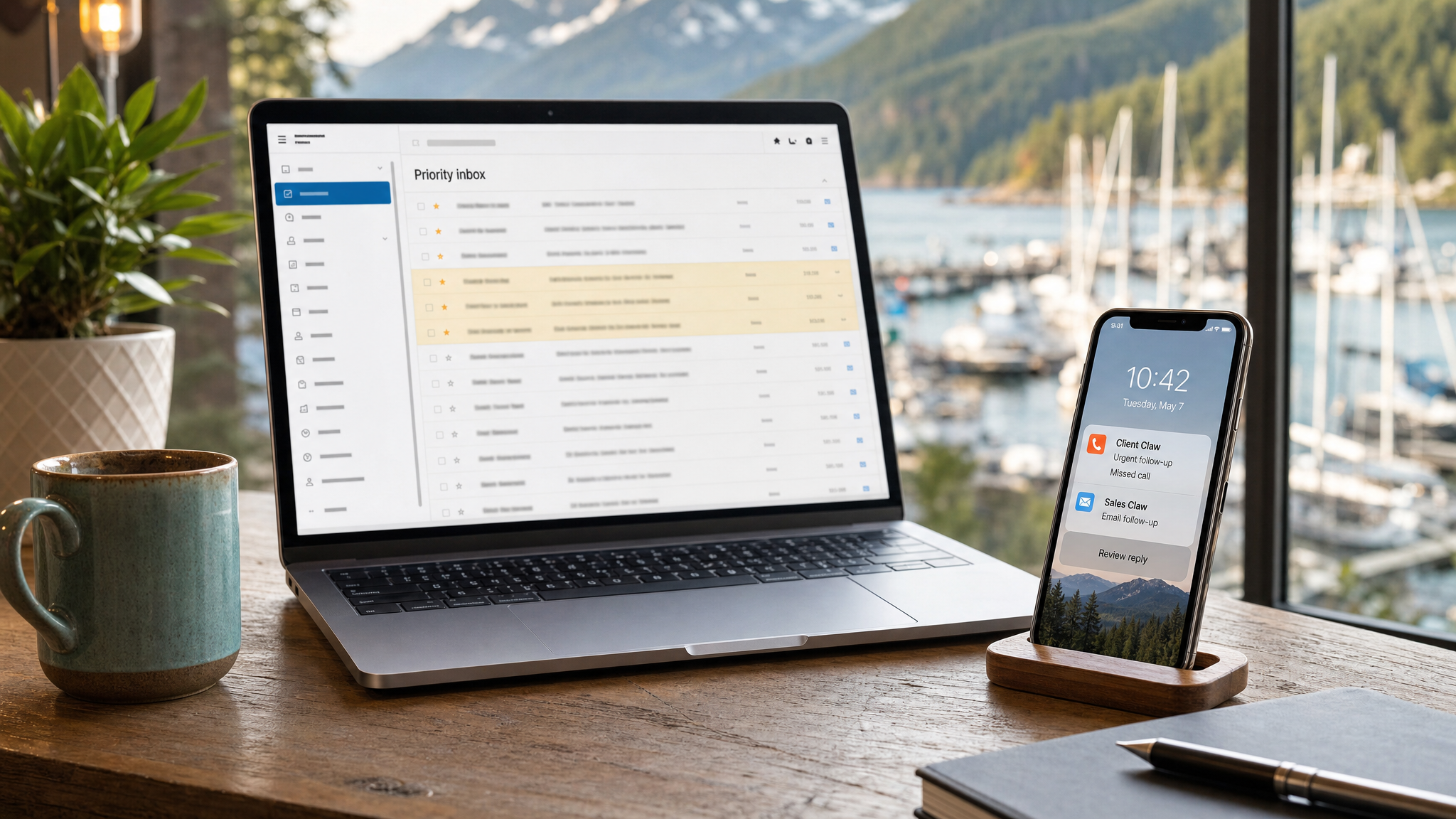
Priority follow-up, summarized before it gets missed.
A Claw can watch the places work actually arrives — email, calls, texts, and forms — then surface the urgent items with a suggested next step for a human to approve.
News, deals, and practical workflow ideas
Stay in the loop
Get practical updates, launch offers, and plain-English workflow ideas from our Vancouver Island home base.
Common pressure points
If this is happening, an Island Workflow Claw can help.
Leads arrive when nobody is free
Calls, forms, texts, booking requests, and paid leads show up while your team is already serving customers. A Claw helps capture the request and prepare the next step before the lead goes cold.
Important details are scattered
Customer context lives across inboxes, calendars, CRMs, files, portals, notebooks, and long message threads. A Claw helps pull the working picture together.
Follow-up depends on memory
Quotes, tours, bookings, reviews, invoices, promises, and unresolved items need a cadence. A Claw helps surface what is waiting before it becomes a lost opportunity.
Staff answer the same questions
Routine questions interrupt the people who should be doing higher-value work. A Claw can answer approved questions and escalate the rest.
Documentation shows up too late
Change orders, service notes, guest details, customer requests, and project handoffs are easy to miss until they cost money. A Claw helps keep the record moving.
Sensitive decisions need boundaries
Your team stays in control. A Claw drafts, routes, summarizes, and reminds while legal, financial, emergency, tenant, guest, quote, and compliance decisions stay with the right human.
The Claw suite
Choose the system that matches your leak.
PropertyClaw
For real estate, property, strata, rental, and investor teams that need warm leads, client promises, vendor tasks, and tenant issues to stop disappearing.
ServiceClaw
For trades and service teams that need missed calls, web leads, estimate follow-up, and customer updates to turn into booked work.
CallClaw
For businesses that need calls answered, messages captured, and approved SMS links sent for scheduling, forms, directions, or next-step instructions.
MediClaw
For clinics that need admin intake, phone/email handling, appointment request routing, and inbox triage without automating medical judgment.
StorageClaw
For storage operators that need fast answers, unit guidance, tour/reservation handoff, and follow-up so empty units do not stay empty.
StayClaw
For hospitality and booking-heavy teams that need guest questions answered clearly before they become lost bookings or poor reviews.
MoveClaw
For moving companies that need quote intake, inventory details, move-date reminders, crew handoffs, and customer follow-up organized quickly.
BuildClaw
For contractors who need quotes, RFIs, invoices, project documents, change-order signals, and client updates tracked before margin slips.
FarmClaw
For agricultural, greenhouse, cannabis, and hemp growers that need crop tasks, harvest notes, staff SOPs, compliance handoffs, and buyer/customer follow-up organized.
CannaClaw
For licensed cannabis retailers that need approved product education, staff SOP support, customer routing, and human-reviewed guardrails.
MarineClaw
For marine and waterfront teams managing seasonal demand, customer questions, service notes, maintenance reminders, and operational handoffs.
CustomClaw
For complex companies, multi-location teams, or founder-led groups that need a workflow support layer built around how the organization actually works.
How it launches
A practical build, not another dashboard nobody uses. We map the workflow, connect the approved systems, define human-review rules, test real examples, train the team, then tune the assistant after launch.
- Readiness SessionWorkflow audit, pressure map, tools, approval boundaries, and launch scope.
- Full BuildAssistant identity, prompts, workflows, connections, reporting, onboarding, included business-class mini PC, and 30 days of launch support.
- Remote SupportOngoing tuning, FAQ updates, tool-change support, transcript/workflow review, and monthly operating improvements.
Starting point
Start with a $500 readiness session.
Full builds range from CA$7,500 to CA$15,000 depending on the workflow. Runtime is selected separately so your Claw has the working capacity it needs, without making you manage API keys, model billing, or downtime. Remote Support is available when you need tuning or updates.
The real shift
What it feels like when the work stops leaking out of the business
Not another dashboard to babysit. A Claw is built to catch the moments that usually depend on memory, sticky notes, inbox digging, or someone finally remembering to follow up.
You see what moved while you were offline.
New leads, unanswered messages, bookings, tasks, and loose ends are summarized before the day starts, so the first hour is direction instead of catch-up.
The system catches the handoff.
A customer asks a question, a quote needs a next step, a staff member needs context. The Claw organizes the details and routes the next action instead of letting it disappear in the shuffle.
Follow-up keeps happening after attention runs out.
Review requests, reminders, estimate nudges, task summaries, and tomorrow’s priorities keep moving without asking the owner to personally hold every thread.
The businesses that learn this operating rhythm early will feel the advantage first. As agentic systems become normal, the gap will be between teams that already know how to use them and teams still trying to run everything by hand.
Helpful guides Property video reels from listing photos
Not sure which Claw fits?
Start with the pressure point. These guides explain the most common places where leads, messages, follow-up, and admin work start slipping through the cracks.
 Island Workflow