

Description
Build a music library your audience can actually explore
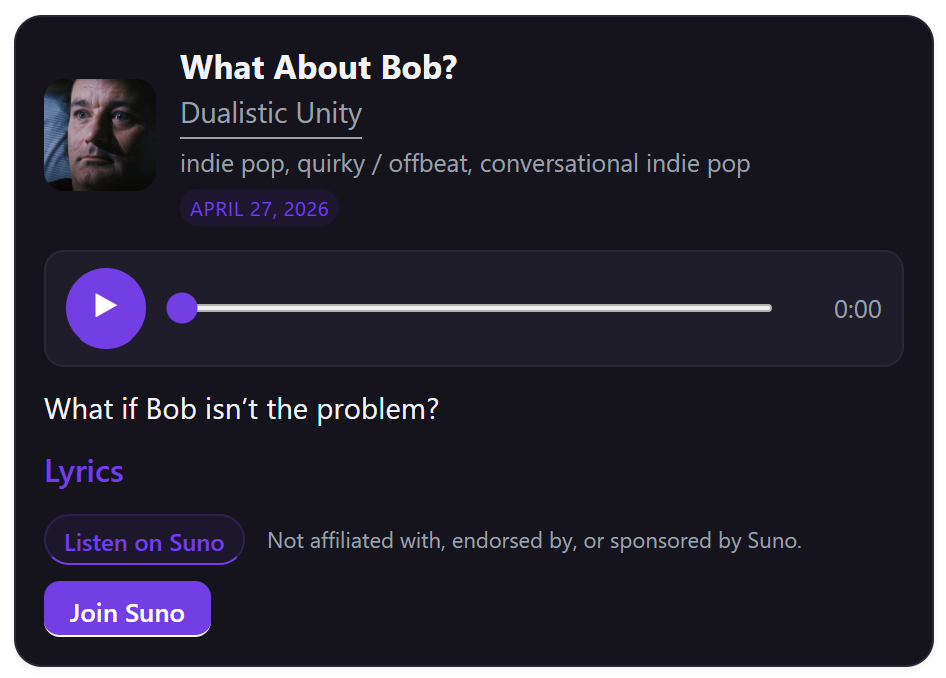
IW Player for Suno Pro turns public Suno songs into a fast, responsive WordPress music library you control. Instead of sending visitors away to scattered links, you can collect songs, organize them into playlists, show cover-forward grids, and let the music keep playing from a site-wide player bar while visitors browse.
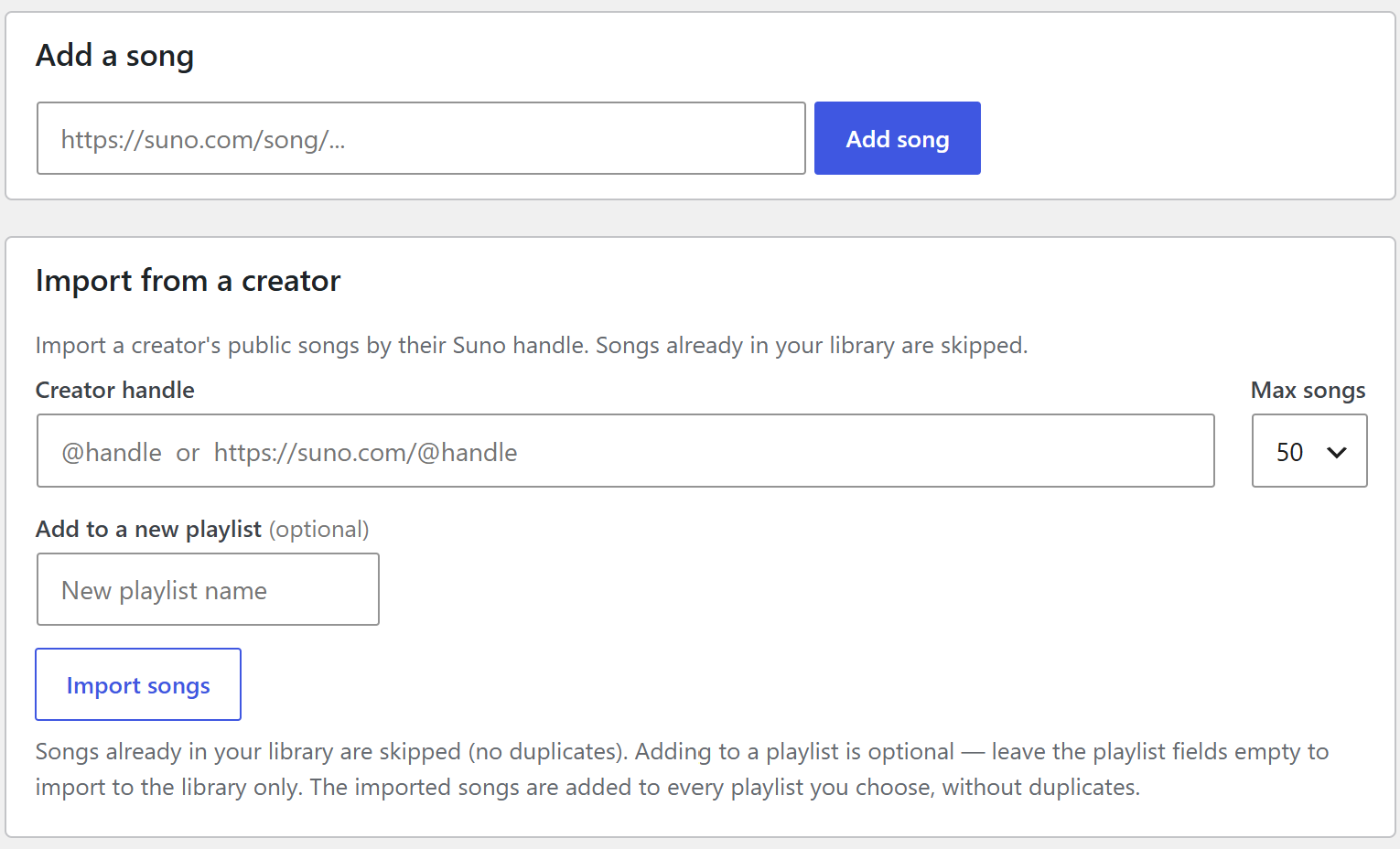
Add one song by pasting its public Suno link, or bring in a creator’s public catalog by handle. Imports can go straight into one playlist, several playlists, a brand-new playlist, or just into the main library. Duplicate songs are skipped automatically, both in the library and inside playlists.
Independent compatibility tool: IW Player for Suno Pro is not affiliated with, endorsed by, or sponsored by Suno. “For Suno” indicates compatibility only. It displays public song details and playback without using Suno login credentials, cookies, private accounts, authentication, API keys, or page scraping.
What Pro helps you do
Keep music playing across the site
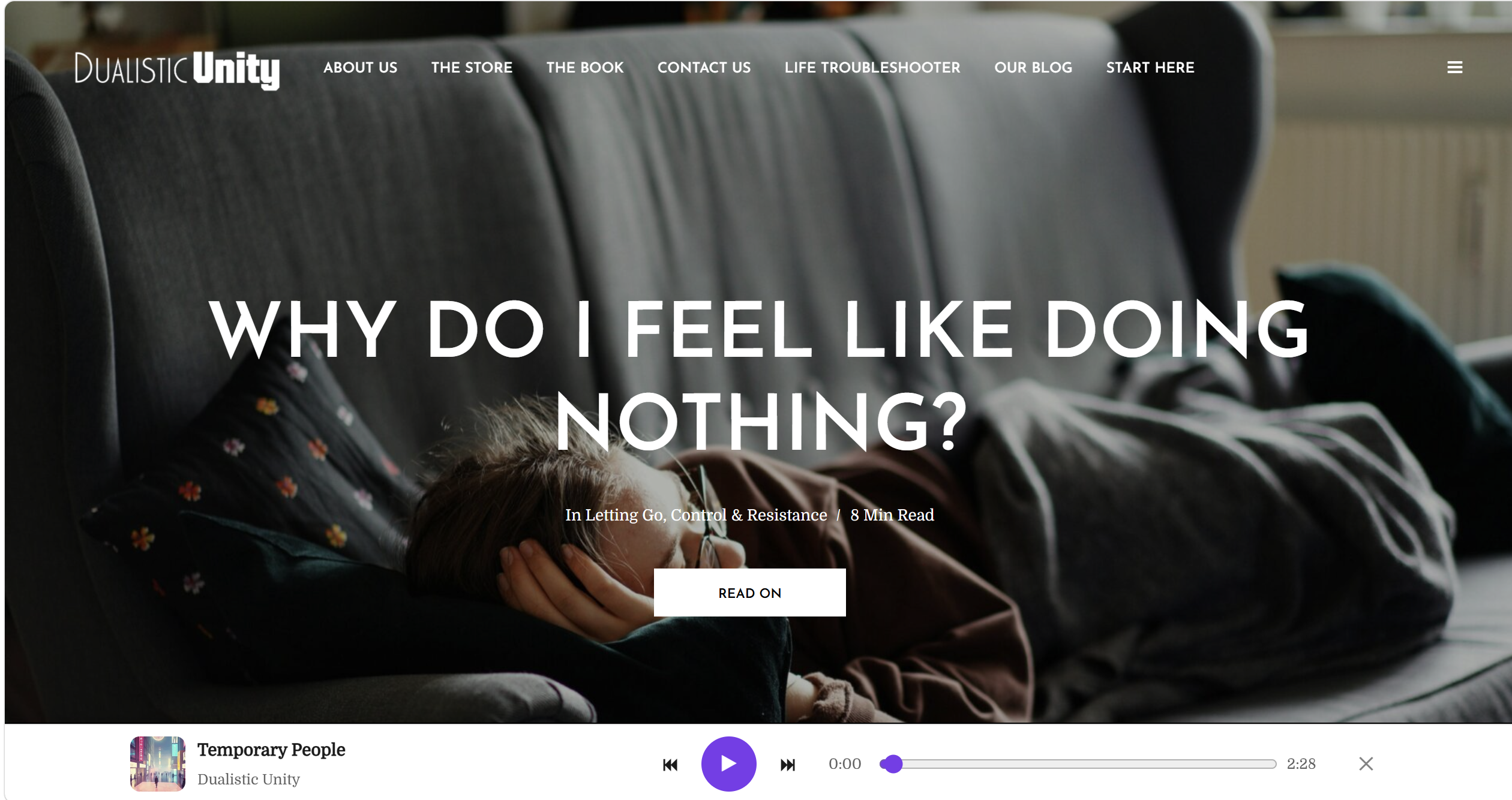
- Add an optional site-wide player bar that stays available as visitors move through your WordPress site.
- Build the queue from all public songs or a specific playlist, with optional shuffle and auto-advance.
- Let visitors minimize the bar to a compact launcher without stopping the current song.
- Use seamless internal navigation so the player can keep going across posts, pages, playlists, and artist pages.
- Keep search-result browsing smoother too, including Better Search autocomplete and Typology-style post layouts.
Reviewed translations for global listener traffic
Pro v1.7.2 includes reviewed front-end translations for Portuguese (Brazil), German, and Indonesian, covering visitor-facing player controls, listening links, player bar labels, add-song form text, key messages, and the non-affiliation disclaimer. Translation templates remain included so more locales can be added as your audience grows.
These translations have been reviewed for this release. For legal, regulatory, or heavily promoted multilingual launches, get final legal/local review before relying on them as formal market copy.
Grow the library without busywork
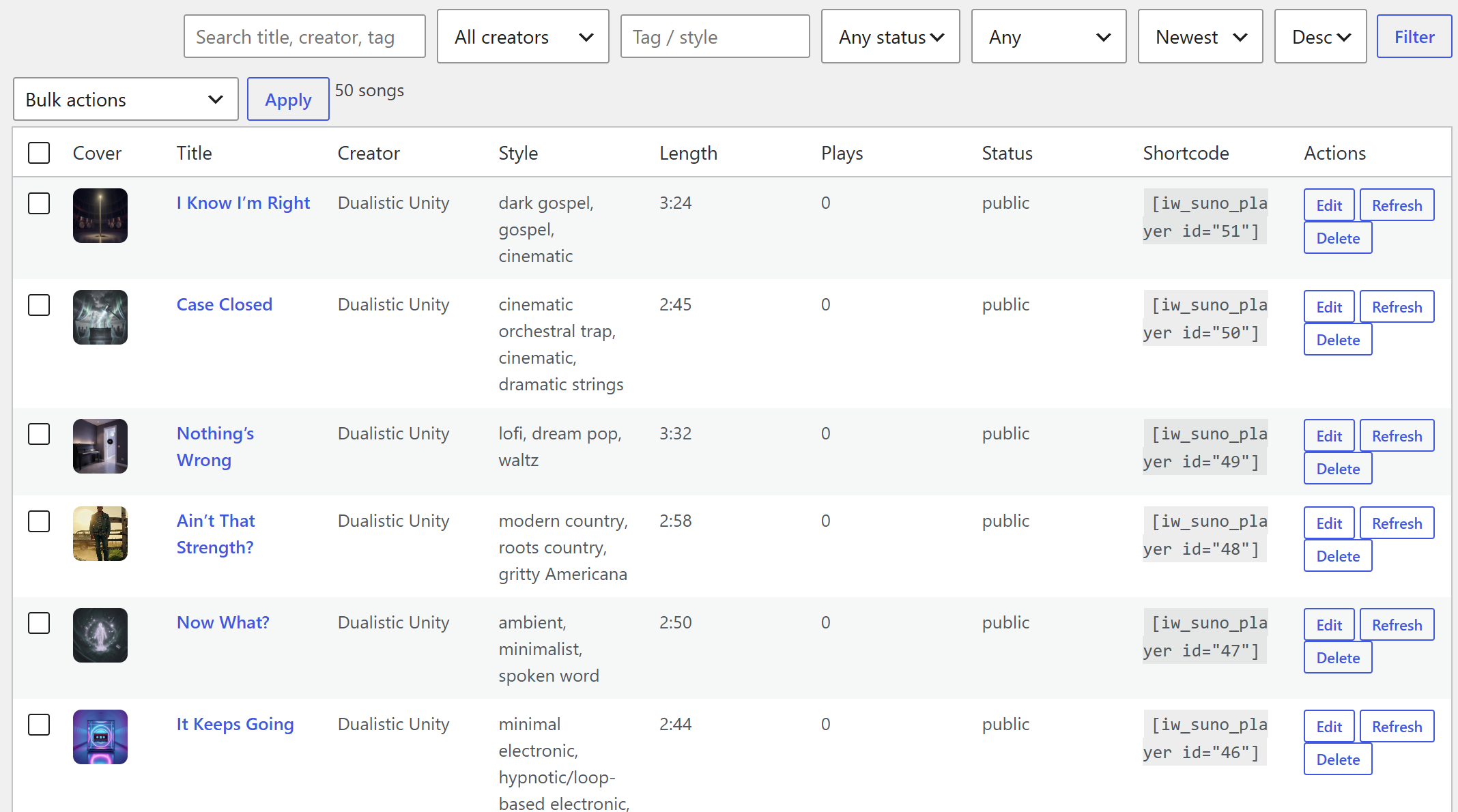
- Add public songs by link and keep them organized from a searchable WordPress dashboard.
- Import a creator’s public songs by handle, with a chosen import limit.
- Send imports directly into one or more playlists during the same step.
- Skip duplicates automatically so your library and playlists stay clean.
- Optionally schedule creator auto-imports so new public songs can be picked up over time.
Publish more than a single player
- Create unlimited playlists and reorder songs for a better listening flow.
- Use the same playlist as a sequential player or a visual grid.
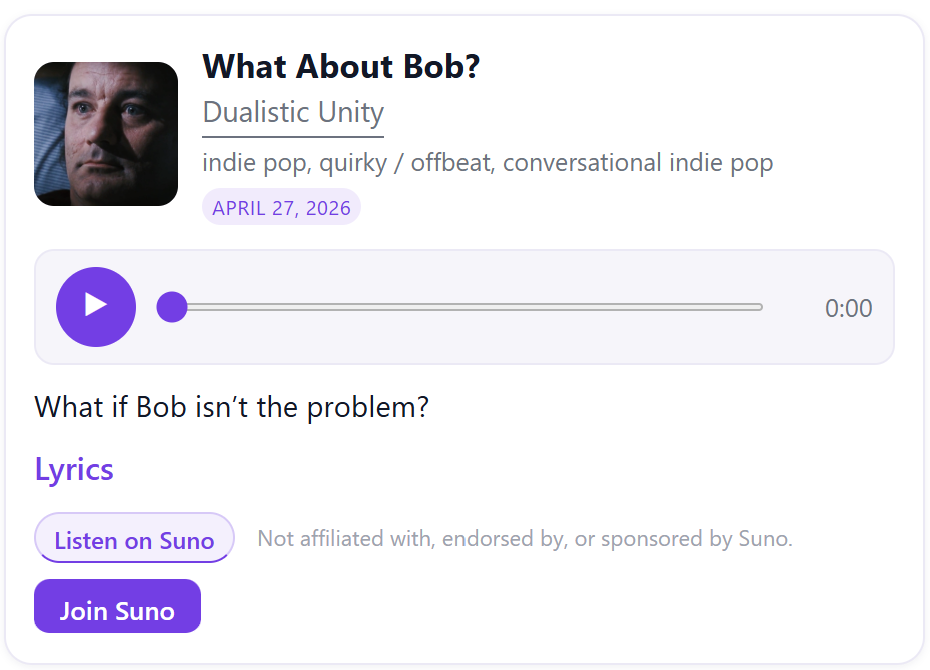
- Show a single song, a playlist, a cover-forward grid, or a front-end add-song form for logged-in contributors.
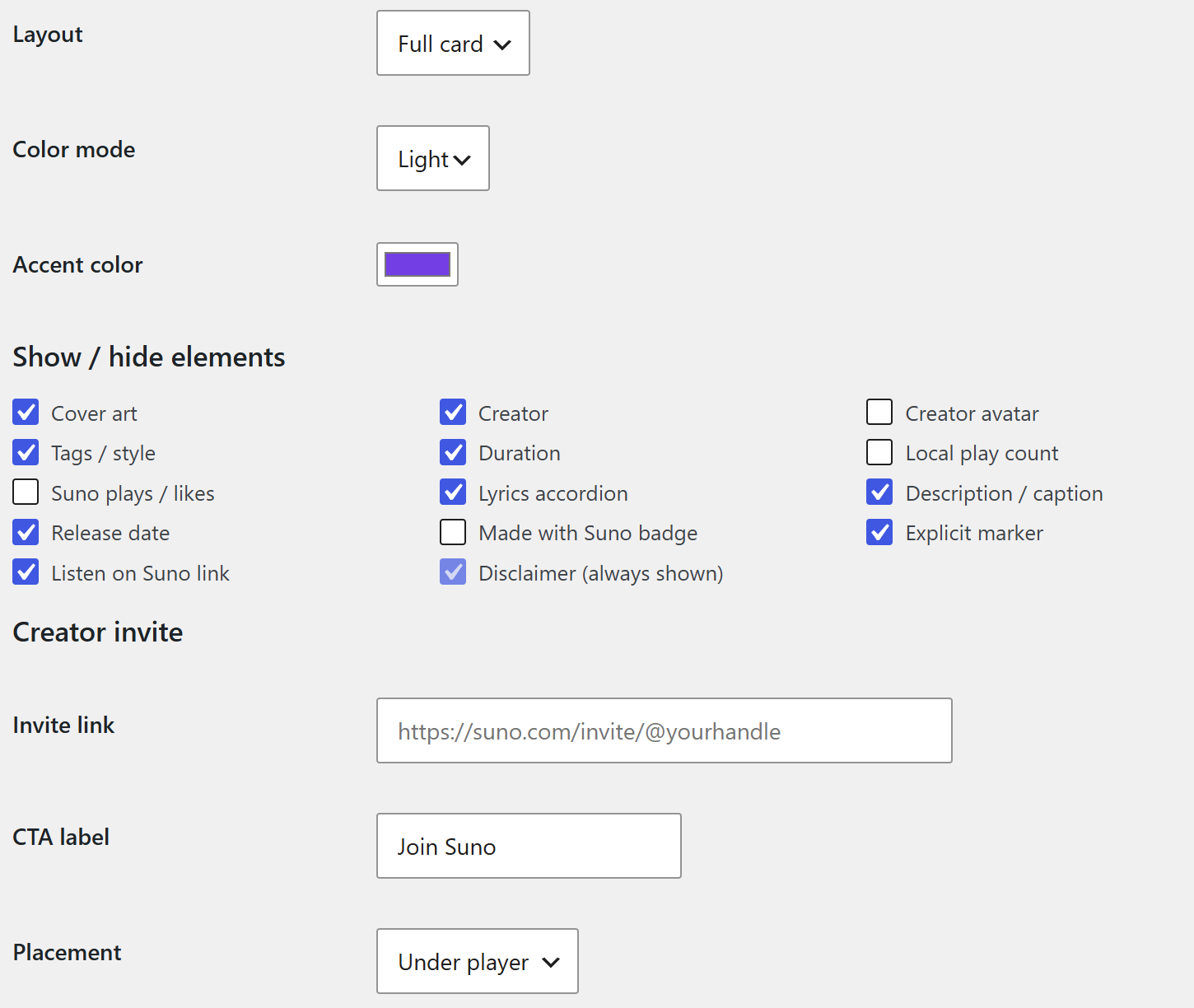
- Add an optional creator invite call-to-action with your own label and link.
Make the player match your site
- Choose full, compact, or minimal layouts.
- Set an accent color and light, dark, or automatic color mode.
- Show or hide details such as cover art, creator link, avatar, tags, duration, play counts, lyrics, description, release date, model badge, explicit marker, and the “Listen on Suno” link.
- Keep the compatibility disclaimer visible while still presenting a polished, branded player.
Manage the catalog like a real asset
- Search, sort, filter, and paginate your full song library.
- Edit titles, creator names, style, description, caption, lyrics, cover art, and links.
- Lock refresh-safe overrides so your custom values are preserved.
- Track rights and publishing notes for your own records.
- Export songs and playlists to CSV or JSON whenever you need a copy.
Reliable enough for a live site
Your songs and playlists live in your WordPress database, not inside the plugin ZIP. They are kept through deactivate, update, and delete by default. The deliberate data-wipe tool requires both a checkbox and typing DELETE.
If you are moving up from the free plugin, your existing songs carry over. Deactivate the free plugin before activating Pro, and the Pro library will use the same saved songs.
Licensing is designed to protect updates and support without punishing published sites. You activate once, the plugin re-checks automatically about once a month, and your public players and saved data keep working even if a license later lapses. An active license is required for updates, support, and Pro management access.
Shortcodes
[iw_suno_player id="123"]– single song player.[iw_suno_playlist id="4"]– playlist player with next/previous controls. Addautoadvance="1"when you want it.[iw_suno_grid id="4" columns="3"]– cover-forward playlist grid.[iw_suno_upload_form]– front-end add-song form for logged-in contributors.
Product FAQ
Is this made by Suno, or official?
No. IW Player for Suno Pro is an independent compatibility tool from Island Workflow for displaying your public Suno songs on WordPress. It is not affiliated with, endorsed by, or sponsored by Suno.
How do I add songs?
Paste a public Suno song link, or import a creator’s public songs by handle. You can also let logged-in contributors add songs from the front end with a shortcode.
Will it import the same song twice?
No. Imports are de-duplicated. A song already in your library is skipped, and a song already in a target playlist is not added again.
Can I import a creator straight into a playlist?
Yes. You can add imported songs to one or more existing playlists, create a new playlist on the spot, skip playlists entirely, or combine those workflows depending on the catalog you are building.
Can music keep playing while visitors browse the site?
Yes. Pro includes an optional site-wide player bar for a non-stop listening experience. It can play through all public songs or a chosen playlist, auto-advance between tracks, and keep playing during supported internal navigation instead of restarting on every page.
Which languages are included?
Pro v1.7.2 includes reviewed front-end translations for Portuguese (Brazil), German, and Indonesian. The default English copy remains built in, and translation templates are bundled for future locales.
Does it work with my theme and on mobile?
Yes. The player is responsive and designed to resist common theme conflicts, with layout, accent color, and light/dark options.
What happens to my songs if I deactivate, update, or uninstall?
They are kept by default. Your songs and playlists are stored in your WordPress database, not in the plugin files. Data is only removed if you deliberately use the data-wipe tool.
I am upgrading from the free version. Will I keep my songs?
Yes. Pro reuses the same library, so your songs appear automatically. Deactivate the free plugin before activating Pro; do not run both at once.
If I downgrade back to the free version, what happens?
Your songs stay and remain viewable in the free player. Pro-only extras such as playlists, advanced styling, and per-song overrides are set aside and restored if you upgrade again.
Does the player keep working if my license lapses?
Yes. Your published players, saved songs, and playlists keep working. While a license is not active, updates and support pause and the in-dashboard management screens ask you to reactivate, but visitor-facing players are not shut off.
Does it need an API key, my Suno login, or special access?
No. It uses only public song information: no Suno login, cookies, private-account access, authentication, API keys, or page scraping.
Why might a song’s details change or stop loading?
Public song details depend on Suno’s public service behavior and may change. IW Player for Suno Pro keeps saved values available and can fall back to them if public details are temporarily unavailable.
Can I export my library?
Yes. Export songs and playlists to CSV or JSON any time.
Support FAQ
Are the free and pro plugins ready?
Yes. The Free plugin is available as the current public download, and Pro is set up as the paid WooCommerce product with license keys and protected plugin updates.
How does Pro support work?
Pro support is handled per issue. Purchase a Suno Player Support Issue for $20 CAD when you need a diagnostic review for a specific Pro license, update, import, shortcode, or setup problem.
Is the support ticket for free-plugin issues?
No. The support ticket is only for licensed IW Player for Suno Pro sites. Free IW Player for Suno installs are self-serve and do not include ticket support.
What counts as one support issue?
One ticket covers one focused Pro problem on one WordPress site. It includes one written response with suggested next steps and one follow-up reply afterward for clarification on the same issue.
What do I need to provide?
Checkout requires your licensed site URL, license key or order email, WordPress version, plugin version, PHP version, active theme, the exact issue, steps to reproduce it, and any relevant diagnostics such as error messages, logs, console output, screenshots, or links.
Will Island Workflow fix my site for me?
No. The support ticket is advice-only. We do not log in, repair WordPress installs, edit themes, customize the plugin, fix hosting/server problems, or do open-ended troubleshooting. We offer suggestions based on the diagnostics you provide.
What is outside a $20 ticket?
Free-plugin issues, separate problems, feature requests, custom design work, broader WordPress troubleshooting, and theme or hosting issues are outside this ticket.
Do updates require an active license?
Yes. Your public players and saved library can keep working if a license lapses, but Pro updates and support require an active license.
Should I use the contact form for support?
Use the contact form for sales or general Island Workflow questions. For a specific Pro plugin issue, purchase a support ticket so the request is routed with the right context.
Inline players now follow the site-wide player bar
Pro v1.7.2 improves the hand-off between embedded song players and the site-wide bar. Inline play buttons, time display, and seek controls now mirror the bar, so embedded examples feel like remotes for the persistent player instead of separate competing players.
Additional information
| License tier | Single Site License, 3 Site License, 10 Site / Studio License |
|---|
 Island Workflow
Reviews
There are no reviews yet.